
Build a Gaming PC in a Free iOS Simulator
Overview
Computer Building Simulator is a free simulation game designed for iOS users who are curious about assembling a gaming PC without the physical risks or costs. The game offers a virtual environment where players can experience the process of building a computer using realistic component placements. Its primary goal is to introduce computer novices to the basics of PC assembly in an engaging and accessible way.
While the game does not simulate real-world challenges like component compatibility checks or tool usage, it provides a simplified version of the building process for educational entertainment. The target audience includes hobbyists, tech enthusiasts, and beginners exploring computer hardware. The developer did not provide additional information about their background or prior projects.
Real-world usage scenarios include casual learning, hands-on experimentation with virtual parts, and entertainment for those fascinated by PC customization. Despite its free nature, the game lacks depth in both content and user feedback mechanisms, limiting its long-term engagement potential.
Key Features & Capabilities
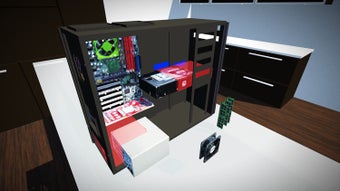
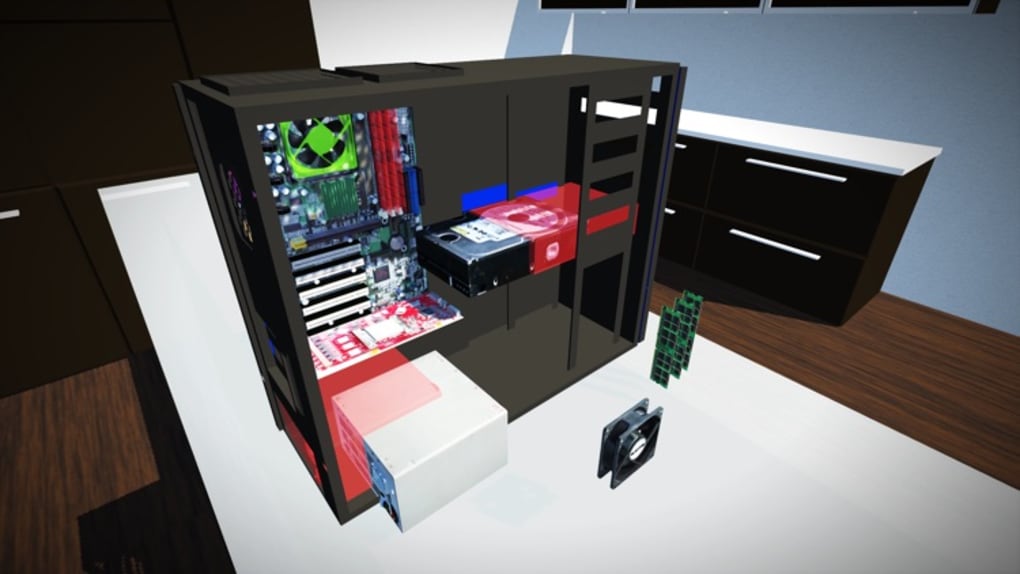
- Virtual PC Assembly – Players drag and drop real-looking computer components into their designated slots within a 3D case. This includes the motherboard, CPU, GPU, RAM, power supply, and storage drives.
- Realistic Component Design – All parts are modeled with accurate visual details, offering a lifelike representation of actual hardware commonly used in gaming PCs.
- Single-Stage Build Process – The game provides all components upfront, eliminating the need for unlocking or purchasing parts through in-game currency or stores.
- Basic Interaction Mechanics – The core gameplay revolves around positioning components correctly using touch controls, with no complex tasks or time-based challenges.
- Repetitive Build Mode – After completing one build, players can repeat the process multiple times, though no new configurations or customization options are available.
Each build cycle allows users to practice component placement and gain familiarity with internal PC layout. However, the lack of part descriptions or tooltips means players must already possess foundational knowledge of computer hardware. The game does not guide users through compatibility checks or installation sequences, making it unsuitable as a learning tool for absolute beginners. For those with prior experience, the simulation offers minimal challenge and no feedback on build accuracy.
User Interface, Workflow & Performance
The user interface is minimal, focusing on a 3D workspace where the computer case and components are displayed. Navigation relies on touch-based camera rotation and zoom, which can be inconsistent and require frequent adjustments to view components from optimal angles. This often leads to frustration, especially when attempting to place small or tightly packed parts.
The workflow is straightforward—drag a part, position it, and place it—but the precision required is hindered by the touch interface’s responsiveness and the lack of visual alignment aids. The developer did not specify resource usage details, so performance behavior on different iOS devices remains unknown. General observations suggest the app runs smoothly on supported hardware, but the frequent need to watch video ads interrupts gameplay flow.
Stability appears acceptable during short sessions, though prolonged use may lead to interface lag due to ad integration. The game lacks a completion screen or progress tracker, reducing user motivation after the first build.
Compatibility & System Requirements
Computer Building Simulator is designed for iOS devices and requires version 1.0.2 of the software. The installation size is 258.2 MB, which is relatively large for a free mobile game. Platform compatibility information is limited to iOS, with no mention of iPadOS or other Apple platforms.
The developer did not specify exact system requirements such as minimum RAM, CPU, or iOS version. Compatibility with older devices is unclear, and no details were provided about supported hardware configurations. Users should ensure their device meets Apple’s general app compatibility standards for iOS applications.
The app may not function optimally on devices with low storage or outdated operating systems.
Pros and Cons
Pros
- Free to download and play with no upfront cost
- Realistic visual representation of PC components
- Simple drag-and-drop mechanics suitable for casual users
- No in-game purchases required to access core features
- Provides a basic hands-on experience for PC building
Cons
- Lacks part descriptions or tooltips for beginners
- No feedback or validation on correct build placement
- Only one level with no progression or customization
- Heavy ad integration disrupts gameplay
- Missing completion screen or achievement system
FAQ Section
Is Computer Building Simulator available on Android?
The game is currently only available on iOS devices. No information is available about Android compatibility.
Can I play the game offline?
Yes, the game does not require an internet connection to play once installed. However, some features may require online access due to ad delivery.
Is the game safe to download?
As a free app from the Apple App Store, it is distributed through a secure platform. However, users should be aware of in-app advertisements and potential third-party content.
Does the game require a subscription to remove ads?
Yes, an in-app subscription is available to access the ad-free version. The free version includes frequent video ads.
Can I customize the look of my built PC?
There is no option to change the appearance of the case, lighting, or component aesthetics. The game focuses solely on component placement.
Final Thoughts
Computer Building Simulator delivers a conceptually appealing experience for those interested in PC hardware, offering a free and visually accurate simulation of building a gaming PC. While the realistic component designs and simple mechanics are strengths, the game’s execution falls short in key areas. The absence of guidance, repetitive structure, and intrusive ad system significantly reduce its usability and enjoyment.
It may serve as a brief novelty for tech-curious users, but it lacks the depth and engagement needed to sustain interest. For anyone seeking a more educational or immersive simulation, better alternatives exist. The game’s potential is evident, but its current state limits its value.
Download Computer Building Simulator now to test the concept—but be prepared for a limited experience.







